Back2You
Now inviting pilot partners

Intelligent
lost-and-found.

Back2You helps schools and institutions reunite people with their belongings — report in seconds, match automatically, and collect with confidence.

Photo protected
Found 2h ago ID: B2Y-9981-XP
Available

Navy blue backpack

Main Library — Level 2, near study pods

This is mine
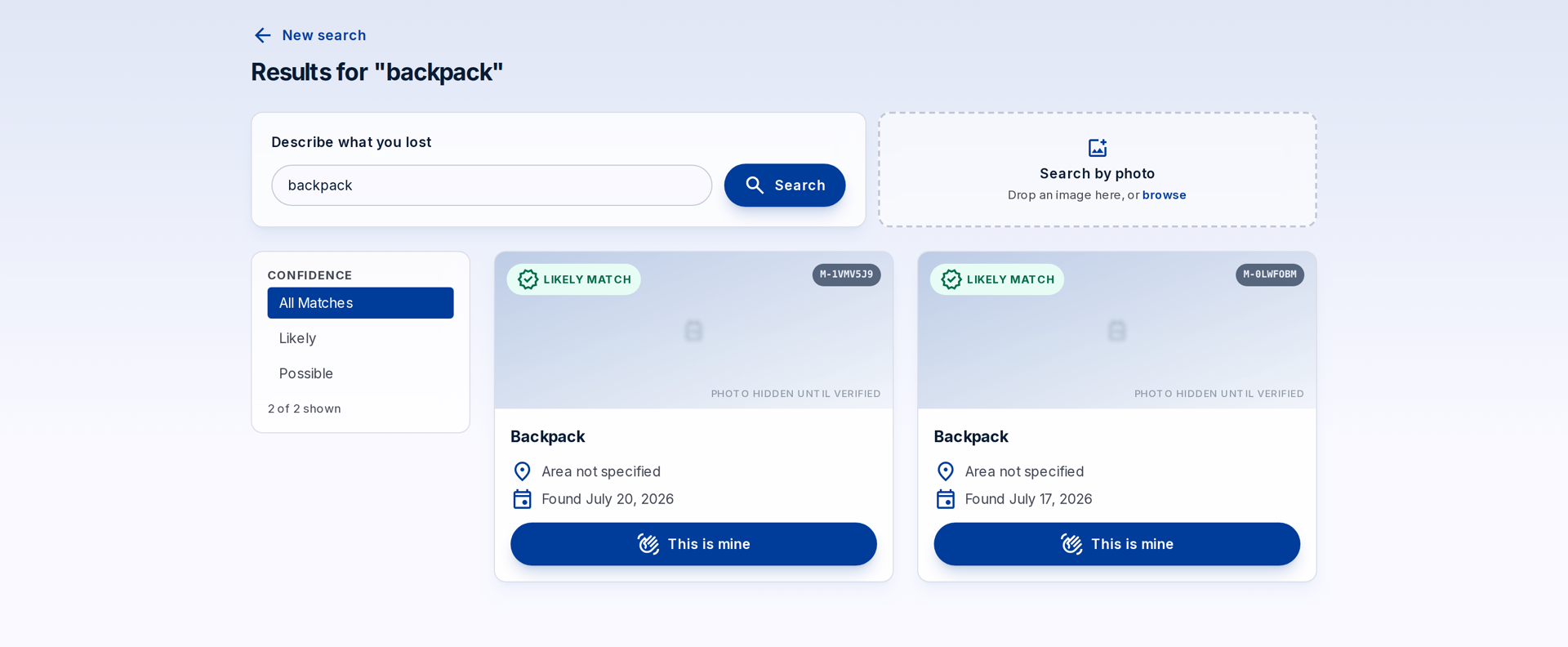
Back2You public search results: two likely backpack matches shown with photos hidden until the claim is verified
See it working

Eight short videos, no slides

Every one was recorded against the running product — real screens, real data, nothing mocked up. Each is 30–52 seconds. Nothing downloads until you press play.

The core loop 52s

A found item is logged, a parent searches and sees a masked match, claims it, and staff hand it over. This is the whole product in under a minute.

Searching for something 34s

How a parent searches — in their own words or by photo — and what staff see on the other side.

QR trackers 30s

Tags for the things that go missing most. When a stranger scans one, they learn where to hand it in and nothing about the owner.

Reporting something lost 31s

Registering an item before it is handed in, so the family is told when a match is logged.

Roster and guardians 37s

The children a school has on file — what makes “tell this child's family” possible at all.

Migrating and reporting 42s

Bringing an existing spreadsheet across, the re-import that creates nothing, and the numbers a coordinator gets asked for.

Front-desk kiosk 30s

A tablet at the desk for people with no phone to hand — and what it deliberately refuses to do.

On a phone 30s

The same app in a coordinator's pocket, so things get logged when they are handed in rather than at the end of the day.

How it works

Three steps from lost to found

No forms marathon, no bulletin boards. Just report, match, and pick up.

Report it

Lost something? Describe it in seconds. Found something? Snap a photo and drop it off.

Get matched

Back2You compares reports and found items, and notifies you the moment there's a likely match.

Pick it up

Verify your claim in person at the collection point and walk away with your stuff.

Features

Built for campuses, offices, and venues

Everything the front desk needs — and nothing your users have to learn.

Privacy blur

Photos of found items stay blurred until a claim is verified in person — so no one can "shop" other people's belongings.

QR item trackers

Register tags on laptops, keys, and bags. One scan and the finder knows exactly where to return them.

Instant match alerts

The moment a found item looks like yours, you get a notification — no need to keep checking back.

Your brand, your colors

Fully white-label: your school's logo, name, and colors — Back2You runs quietly underneath.

A calm dashboard for staff

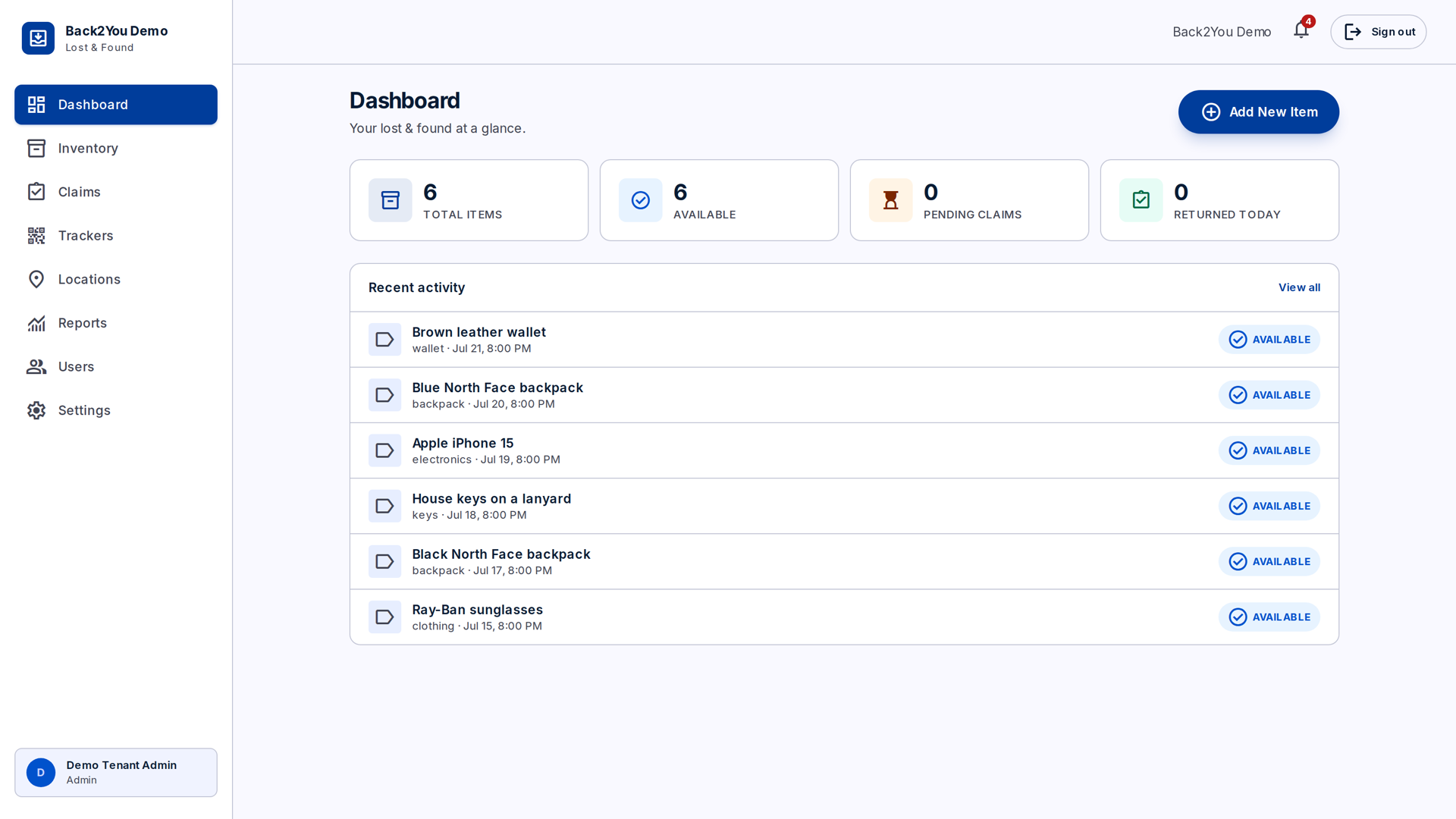
Log items in seconds, track every claim's status, and see your whole inventory at a glance — from drop-off to reunion.

Back2You staff dashboard: stat tiles for total items, available, pending claims, and returned today, above a recent-activity list
Privacy by design

What a school is actually agreeing to

This holds records about children, so the honest answers matter more than the feature list. These are properties of the software, not policies we promise to follow.

Matches are masked until a person verifies them

A search result shows a category, a rough area, a date and a confidence — never the item's name, its exact location, or its photo. That is enforced on the server, not hidden in the page, so it holds even if someone reads the API directly. Photos stay hidden until staff verify the claim in person.

A QR tag tells a stranger nothing about its owner

Scan a tag someone lost and you are told the tag is reported lost and where to hand it in — the venue's name, because a finder needs somewhere to go. Not the owner, not the child, not a contact detail, not the linked item.

Photo reading is off until you switch it on

Reading item photos with an AI model is a per-school opt-in, off by default. Item photos are staff-framed, but a child is occasionally in shot, and sending a school's photos to a sub-processor is the school's decision to make — not ours.

Claimants never need an account

A parent claims with a name and a contact and gets a reference code to quote at the desk. No password, no profile, nothing retained beyond the claim. Collection is always in person, with staff confirming identity.

Pilot programme

We're looking for a small number of pilot partners

One term, free, with the people who build it on the other end of the email. In return we want the unvarnished version of how it goes.

What you get

Your own branded instance, set up with your logo, colours and office hours. Your existing spreadsheet migrated across. Training for front-office staff — it takes about twenty minutes. Free for the whole pilot, with no obligation after.

What we ask

That staff log items promptly with a photo — the one habit the whole system depends on. A named contact we can reach. And a candid conversation at the end about what worked, what annoyed everyone, and whether it actually returned things.

How we'll know it worked

We have no return-rate benchmark to quote you — nobody has run this for a full term yet, and that is exactly what a pilot is for. So we agree the measure with you at the start: how many items come in, how many go home, and how long the front desk spends on it. You get those numbers whatever you decide afterwards.

Questions

The ones we get asked

Do parents need to install anything?

No. Searching happens on your school's own web address, on any phone or computer, with no account and nothing to install. There is a phone app for staff who prefer one, and a front-desk tablet mode for visitors with no phone to hand.

What happens to our existing spreadsheet or logbook?

Upload the spreadsheet and map its columns. You see a dry run before anything is created, and re-uploading the same file creates nothing rather than duplicating it. We do the first migration with you.

Who can see a child's name?

Staff at your school, and nobody else. Item names, photos and exact locations never appear in a public search result, and a claimant only ever sees their own claim's status. The roster exists so staff can tell a family — it is not exposed publicly.

Where is the data held, and who else touches it?

Your school's data sits in its own tenant, separated at the database layer rather than by a filter someone could forget. Search uses an embedding provider; reading photos and labels uses an AI provider and is off unless you enable it. We will name every sub-processor in writing before the pilot starts.

Can it look like our school rather than like Back2You?

Yes — that is the default. Your name, logo, colours and font, on your own address. Everything in the videos above is one school's branding; another school's instance looks like theirs.

What happens after the pilot?

You decide. If it did not earn its place, you export your data and we part company. If it did, we agree pricing then — we would rather set that with a school that has actually used it than guess now.

Contact us

Apply to be a pilot partner

Tell us about your organisation and how lost property works there today. The email below opens with the few things we need to know. A person reads it, and we usually reply within one business day — including when the answer is that you are not a good fit yet.

hello@artisam.xyz

Lost something already?

Search found items near you right now — it takes less than a minute.

Open the app